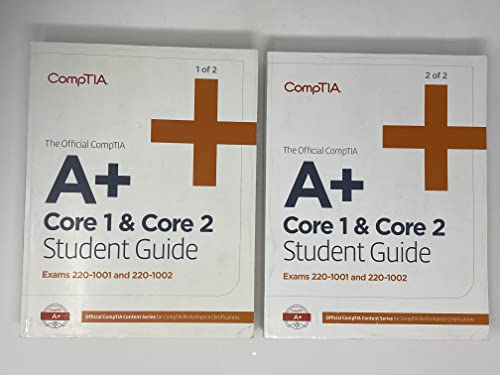
The Official CompTIA A+ Core 1 and Core 2 Self-Paced Study Guides (Exams 220-1001 and 220-1002) Set
Couldn't load pickup availability
About this book
The Official CompTIA A+ Core 1 and Core 2 Self-Paced Study Guides (Exams 220-1001 and 220-1002) Set by James Pengelly. paperback edition. ISBN: 9781642742299.
The Official CompTIA A+ Core 1 and Core 2 Self-Paced Study Guides (Exams 220-1001 and 220-1002) Set What’s included The Official CompTIA A+ Core 1 and Core 2 Student Guide (Exams 220-1001 and 220-1002)(Volume 1) The Official CompTIA A+ Core 1 and Core 2 Student Guide (Exams 220-1001 and 220-1002)(Volume 2) Designed for self-paced learners, two fully illustrated books cover all the latest A+ Core 1 (220-1001) and Core 2 (220-1002) exam objectives and are packed with informative and accessible content. Include the following: Content aligned to work in the real world - Lessons refer to functional areas within the job role while Topics relate to discrete job tasks Comprehensive glossary with important terms and acronyms What you’ll learn The Official CompTIA A+ Study Guides have been developed by CompTIA for the CompTIA certification candidate. Rigorously evaluated by third party subject matter experts to validate adequate coverage of the exam objectives, the Official CompTIA A+ Study Guides teach the essential skills and information required for the CompTIA certification exams (220-1001 and 220-1002). After reading the study guides you will understand how to: Install and configure PC system unit components and peripheral devices. Install, configure, and troubleshoot display and multimedia devices. Install, configure, and troubleshoot storage devices. Install, configure, and troubleshoot internal system components. Explain network infrastructure concepts. Configure and troubleshoot network connections. Implement client virtualization. Support and troubleshoot laptops. Support and troubleshoot mobile devices. Support and troubleshoot print devices. Support operating systems. Install, configure, and maintain operating systems. Maintain and troubleshoot Microsoft Windows. Configure and troubleshoot network connections. Manage users, workstations, and shared resources. Implement physical security. Secure workstations and data. Troubleshoot workstation security issues.